Static maps age quickly
A seasonal reroute or new permission can leave last year's file giving the wrong answer.
For Maine and New England trail clubs
Your club's knowledge gives riders a better starting point. Publish the information you stand behind, work from the office or the field, and review what riders report.
Core mapping, moderation, imports and field updates are free for clubs.
DynamicTrail gives clubs and riders a shared place to improve the record, with an owner and a review path for every update.
A seasonal reroute or new permission can leave last year's file giving the wrong answer.
An important closure can disappear beneath newer posts before the next weekend.
The record should remain useful when the trail master is unavailable or leadership changes.
Riders are often the first to see a problem. Their reports give the club a useful starting point, and the club decides what becomes official.
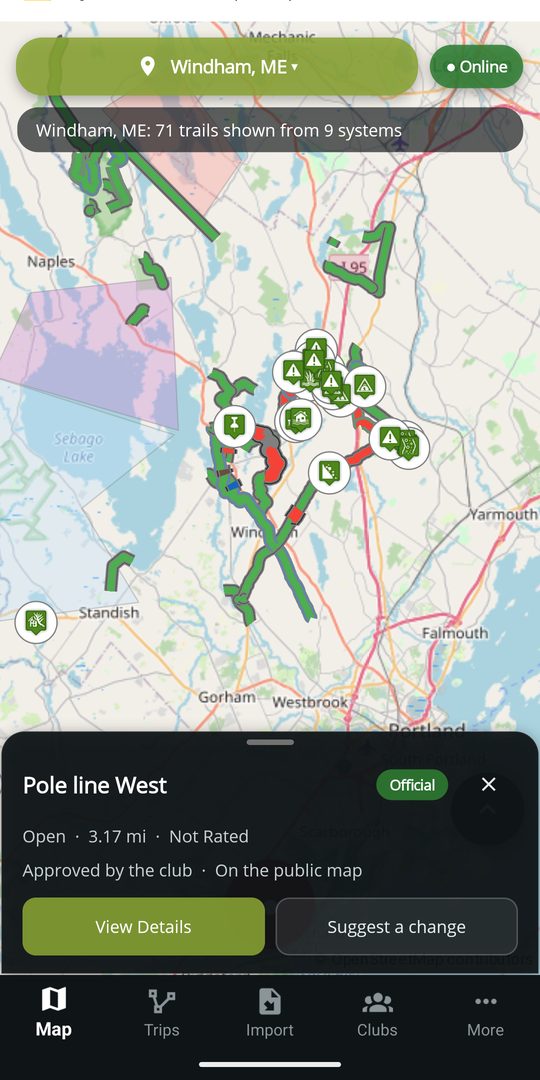
Specific and attributable
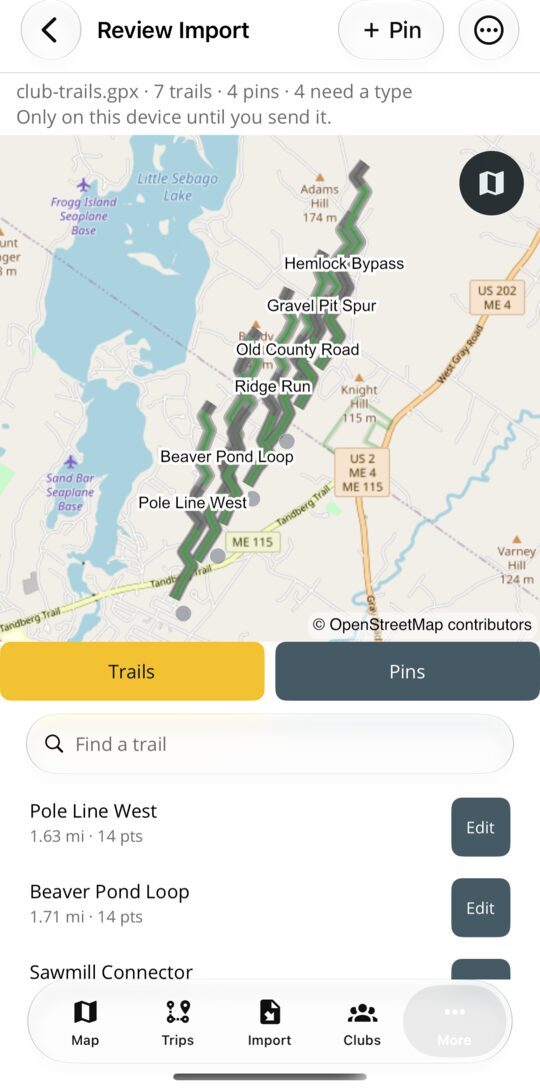
Attach GPX or KML files during onboarding, upload them later, or build the map with us.
Your Trail Masters and Officers mark stretches, post restrictions, place pins and keep the lines right, from the office or standing on the trail.
Riders help fill in the record by reporting a hazard, attaching a photo or proposing a correction, including while offline.
A Trail Master or Officer applies, adjusts or declines what riders send. Published history can be reviewed and restored.
Nothing on a club's map is edited by anybody the club has not let in. Here is how a club comes onboard and how it decides who may do what.
Create a free account and fill in the club form: the club's name is enough to begin. Add each trail system with its activity and towns, and a GPX or KML file if you have one.
DynamicTrail creates the club, its trail systems with an outline from the towns you named, and the assignment between them, together. The club is marked participating: from then on its own officers decide, and nothing on its systems becomes official without them.
Anyone signed in can ask to join from the club's page in the app or from the website. Your Officers see the request and choose the rank: Member edits lines and pins, Trail Master and Officer also mark, post and approve, Officers run the roster.
A position on the board decides the rank that goes with it, so the roster and the permissions never disagree. A club always keeps at least one signed-in Officer.
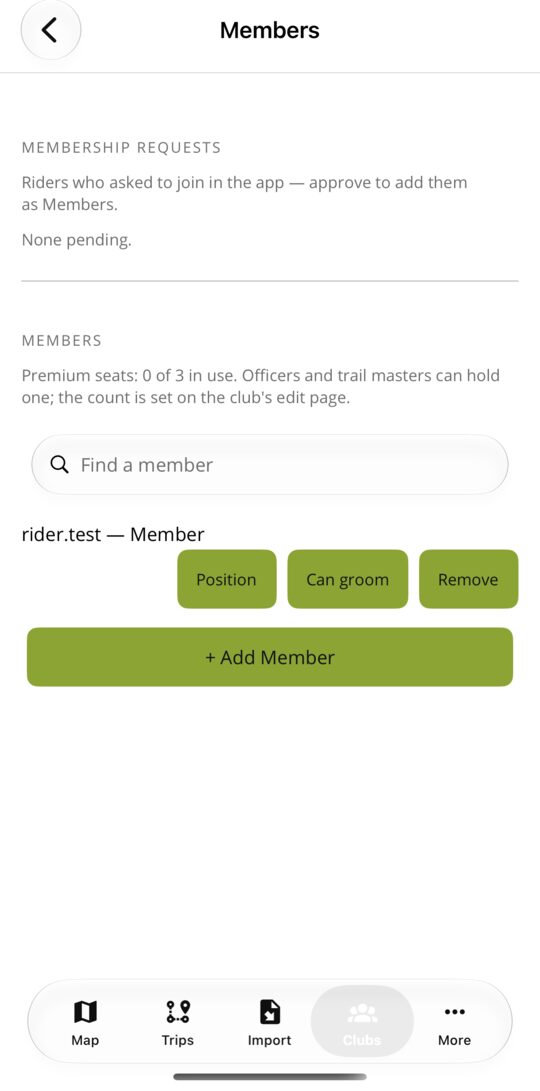
A join request names the person and the rank they asked for. An Officer can grant that rank, a different one, or decline. A rider without standing can still send suggestions; standing is what lets them go further.
Riders do not change your map. What they send waits in the club's own queues, and a Trail Master or Officer decides. These demonstrations use test conditions to show the rider and officer sides of the same workflow.
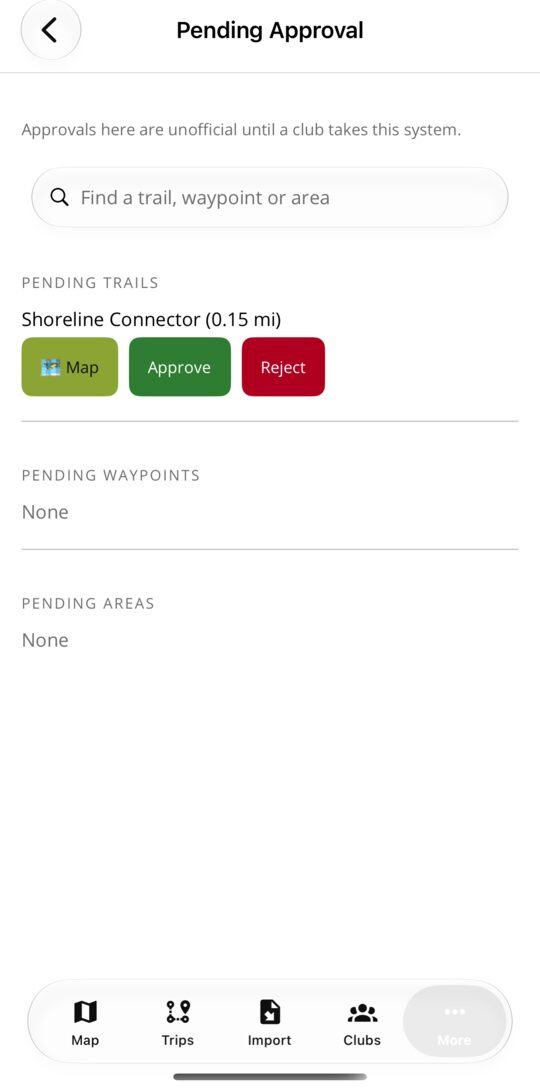
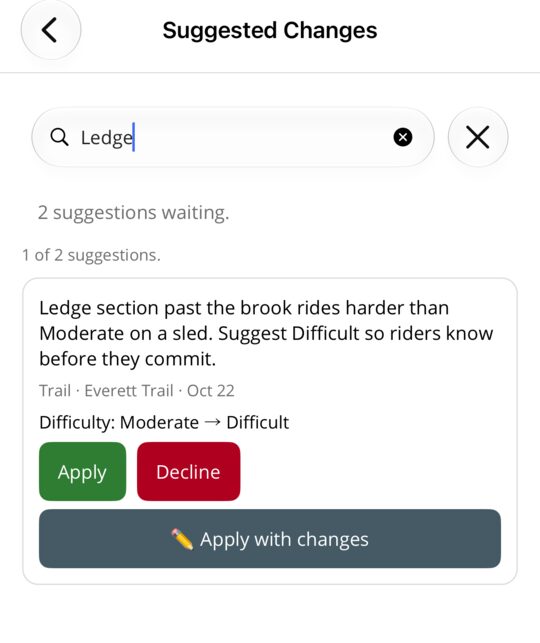
A proposal shows what would change and why the rider thinks so. Apply it as sent, adjust it first, or decline it with a reason the rider can read. What was decided, and who decided it, stays with the trail.
The observation includes the location, condition, duration and a note for the club.
Screen recording, sped up, no sound.
The club sees the proposed difference and the rider's note before deciding what to publish.
The app keeps the decision with the club responsible for the trail.
Pick a trail on the phone and one card opens over it with everything your rank allows. The same tools, on a bigger screen, are on the website.
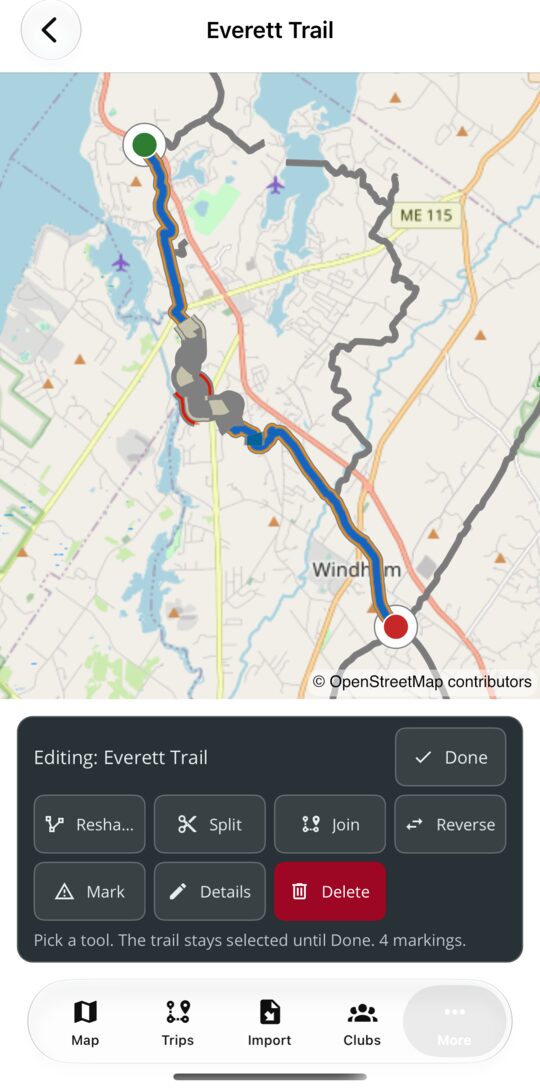
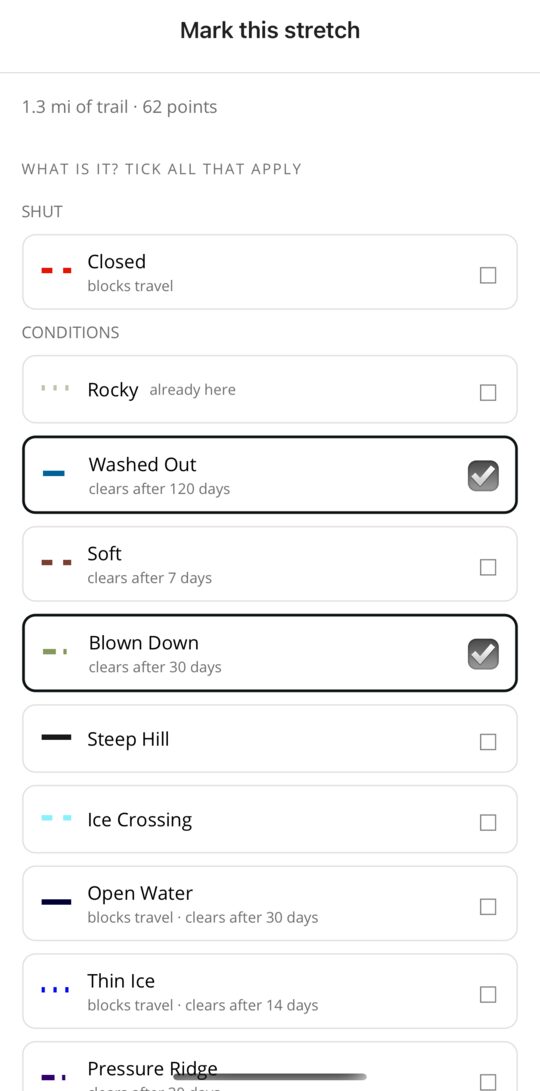
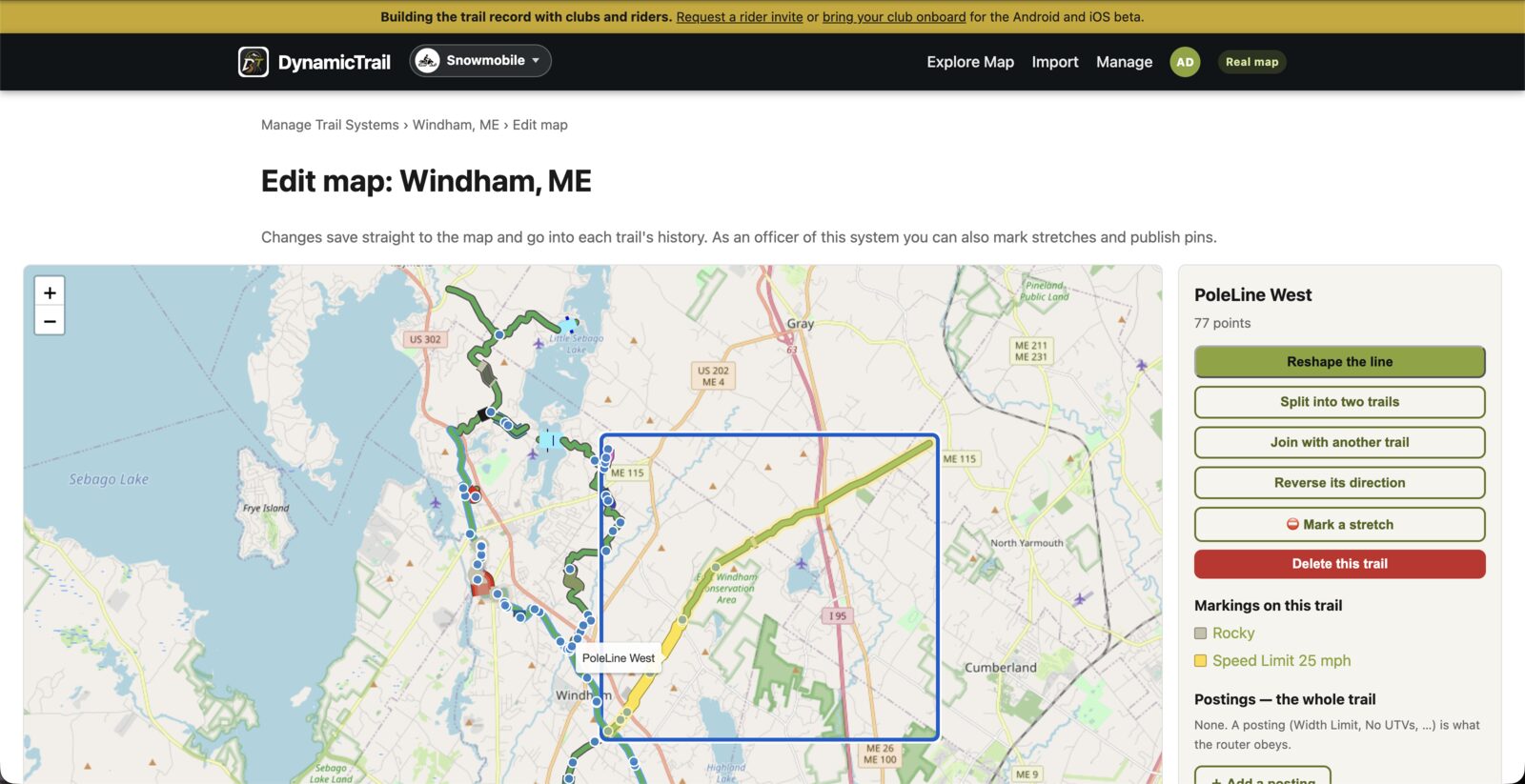
Your Officers decide who in the club can change what. Everyone else can suggest, and the club decides.
Draw, reshape, split, join and reverse trails on the website's map editor, or with the same tools in the app.
Members edit trails. Trail Masters and Officers also publish markings and decide what riders send. Officers run the roster.
Edits go into each trail's history, conflicting saves are stopped rather than merged, and an earlier version can be restored.
Core mapping and moderation are free because participating clubs and helpful riders are what make the experience useful.
Draw, import, reshape, split, join, reverse and restore trails, from a browser or the app.
Publish closures, hazards, restricted stretches, operating hours and other trail-specific guidance.
Review suggested trails, corrections, markings, photos and condition reports.
Edit and collect observations without cell service, then send them when coverage returns.
Manage roster roles and join requests, publish events and accept volunteer observations. Who can do what.
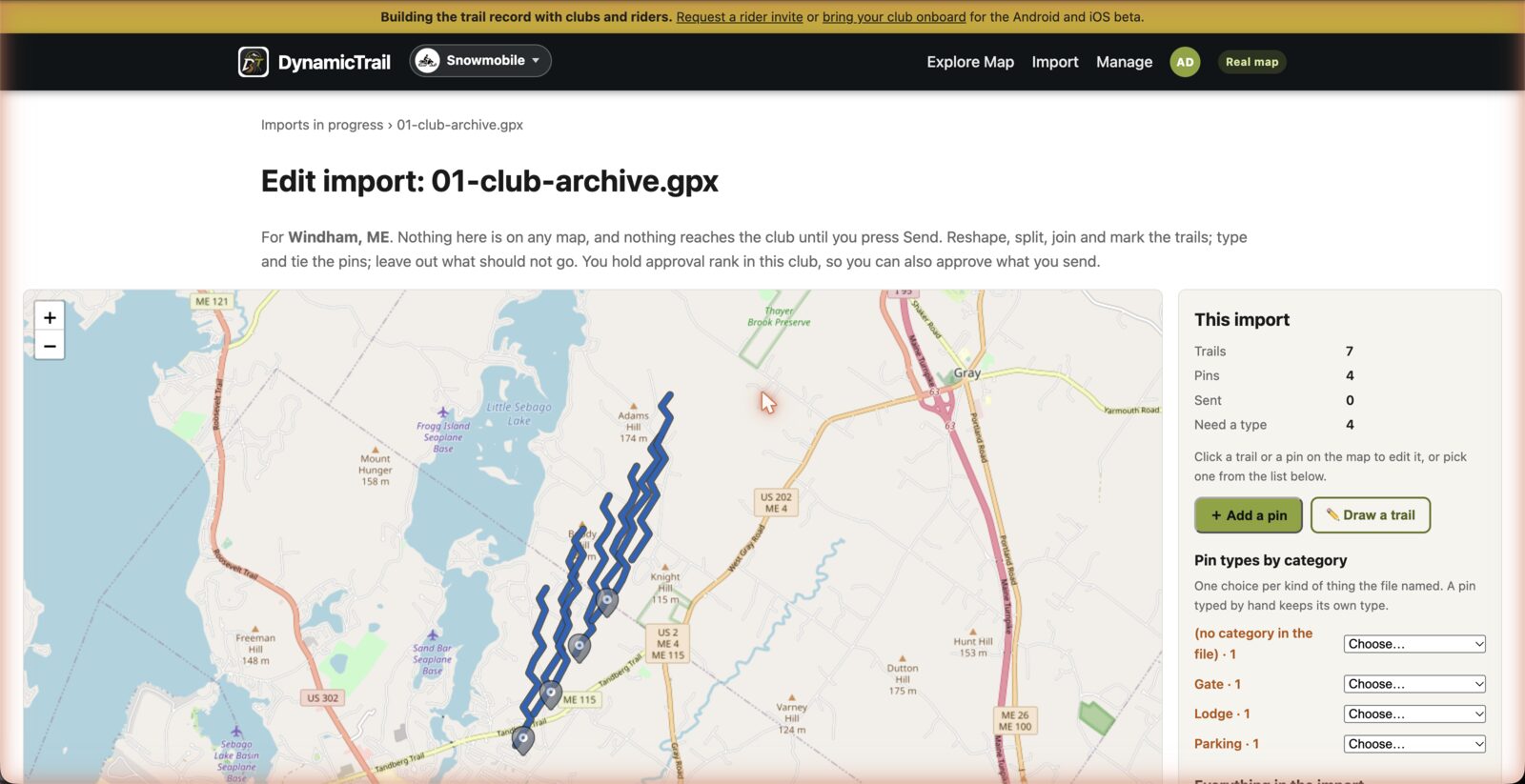
Bring an existing trail archive onto an editable map first, tidy it with the same tools, then send it to the club's queue. How importing works.
What we're building for clubs next, and how to try it first.
An archive is not dumped onto the map. It opens as a map of its own, where the club tidies it before anybody else sees a line.
The map, the review queues, importing and the roster are free and always will be. Around them, we are building tools for the office work a club does all year. They exist today and are switched on club by club while we learn what fits. Every club starts with them off.
Contacts, agreements and parcels, kept with the trails they cover, and the log of every conversation with a landowner.
Dues periods, the roster and a record of who has paid, without a second spreadsheet.
A ride library built from the club's own map and events riders sign up for. Viewing and signing up are free to every rider today.
Sponsor placements on the club's map and a count of riders who checked in at each.
Enrol in a state programme, see what each claim still needs, sign off the grooming log, keep the work and expense ledger, and build the claim packet in the state's own sheets.
Every one of these runs on the website as well as the app, so the treasurer and the trail master can each work where they already are.
If one of these would help your club this season, say so and your club goes on the testers list for it. Testers get the tool switched on early, in exchange for telling us what works on a real club's books. Nothing is charged for these tools today, and whether any of them will ever carry a price has not been decided.
Onboarding now? The club form asks what matters to your club. Tick the tools there and we already know.
Club onboarding
Create a free account and submit your club name. Add trail systems, towns and GPX or KML files if you have them; incomplete details and trail files can be supplied later. Your club's participation gives riders a current place to start, and their observations help your volunteers see what needs attention.
A DynamicTrail account is required so the request can be returned to you and approved securely.